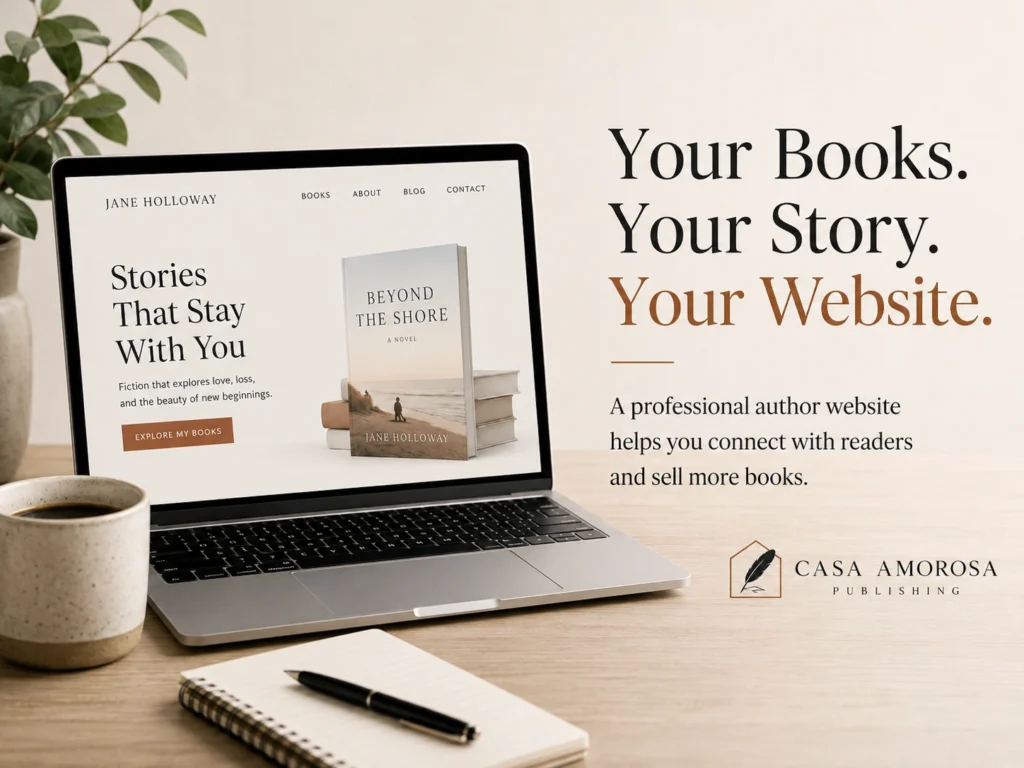
Publishing a book gives readers something to discover. An effective author website gives them a reason to stay connected.
Your website should do more than display your biography and book cover. It should introduce your work, communicate what makes your books valuable, guide visitors toward the right title, and encourage them to take the next step.
That next step might be purchasing a book, downloading a sample chapter, joining your email list, listening to an audiobook preview, attending an event, or following your author journey.
Here is how to create an author website that turns casual visitors into interested readers and supports your long-term publishing goals.
Why Every Author Needs a Professional Website
Social media can help authors reach new audiences, but those platforms are controlled by other companies. Algorithms change, organic reach fluctuates, features disappear, and accounts can sometimes be restricted without warning.
Your website is the digital space you control.
A professional author website can help you:
- Establish credibility
- Present your books professionally
- Build your author brand
- Attract readers through search engines
- Collect email subscribers
- Promote events and appearances
- Share reviews and media features
- Sell books directly or link to retailers
- Support future book releases
Instead of sending readers to several disconnected profiles, your website gives them one reliable destination for everything related to your work.
Begin With a Clear Website Goal
Before selecting colors, fonts, or page layouts, decide what your website should help visitors do.
Your primary goal may be to:
- Sell a newly released book
- Build an email list
- Promote several titles
- Introduce your author brand
- Secure speaking engagements
- Attract media interviews
- Promote an audiobook
- Build interest before publication
- Sell books directly through an online store
A website can support several objectives, but one action should usually receive the most attention.
For example, an author launching a new title might use Buy the Book as the primary call to action. An author preparing for publication may prioritize Join the Newsletter or Download a Free Sample Chapter.
Clear goals prevent the website from becoming a collection of unrelated information.
Understand the Readers You Want to Reach
Successful author website design starts with the intended audience.
Consider who is most likely to visit your website and what they need to know before taking action.
A fiction reader may want to explore:
- The story’s genre and themes
- Character introductions
- Series reading order
- Reviews from other readers
- Sample chapters
- Upcoming releases
A nonfiction reader may look for:
- The problem the book addresses
- The author’s experience
- Practical outcomes or lessons
- Reader testimonials
- Related articles or resources
- Speaking or consulting information
Authors of children’s books may need to speak to parents, teachers, librarians, and gift buyers rather than only young readers.
Understanding your audience helps you choose the right message, images, structure, and calls to action.
Create a Strong Homepage
Your homepage should quickly explain who you are, what you write, and what visitors should do next.
A visitor should not need to scroll through several sections to understand the purpose of the website.
A strong author homepage usually includes:
A Clear Headline
Your headline should communicate your identity or the experience your books provide.
Examples include:
- Historical fiction inspired by forgotten stories
- Practical leadership lessons for growing teams
- Inspiring children’s books about courage and kindness
- Suspense novels where every secret has a consequence
Avoid relying only on a phrase such as “Welcome to my website.” It does not tell new visitors why your work may interest them.
A Short Supporting Message
Add one or two sentences explaining what readers can expect from your books.
Keep the language focused on the reader rather than presenting a long personal history.
A Primary Call to Action
Use a visible button directing visitors toward the most important next step.
Possible calls to action include:
- Buy the Book
- Explore the Series
- Read a Free Chapter
- Listen to the Audiobook
- Join the Newsletter
- View Upcoming Events
Professional Visuals
Use a high-quality author photo, book cover, lifestyle image, or carefully designed promotional visual.
Avoid crowding the first section with too many covers, buttons, announcements, and paragraphs. A focused introduction creates a stronger first impression.
Create a Dedicated Page for Every Book
Each title should have its own page rather than being placed in one crowded list.
A dedicated book page gives search engines and readers more information about the title. It also allows you to create a focused buying experience.
Include the following elements:
- High-resolution book cover
- Clear title and subtitle
- Concise book description
- Genre or subject
- Intended audience
- Available formats
- Purchase buttons
- Selected reviews
- Sample chapter or preview
- Audiobook sample when available
- Publication details
- Related books
- Frequently asked questions
For a book series, clearly show the correct reading order.
Purchase buttons should be easy to find and accurately labeled. For example:
- Buy on Amazon
- Order the Paperback
- Get the eBook
- Listen to the Audiobook
- Buy Directly From the Author
Do not make readers search through several pages to find purchasing options.
Write Book Descriptions That Encourage Action
A book description should communicate value and create interest without revealing everything.
For fiction, it should introduce the central character, conflict, emotional stakes, and reason the reader should continue.
For nonfiction, it should identify the reader’s problem, explain what the book helps them understand or accomplish, and clarify who will benefit from it.
A useful structure is:
- Open with an attention-grabbing idea or problem.
- Introduce the central promise, story, or conflict.
- Explain what makes the book meaningful.
- Identify the intended reader.
- End with a clear invitation to purchase or explore the book.
Avoid long summaries that describe every chapter or event. The goal is to create enough interest for the reader to take the next step.
Make the Author Biography Reader-Focused
Your About page should establish trust while helping readers connect with the person behind the books.
Include:
- Your writing background
- The genres or subjects you explore
- Relevant professional experience
- The inspiration behind your work
- Selected accomplishments
- Personal details that support your brand
- A professional photograph
- Media or speaking information
You can prepare both a short and extended biography.
The short version can be used on book pages and media materials. The extended version can appear on your About page.
Avoid making the biography feel like an unrelated résumé. Focus on details that help readers understand your books, expertise, values, or creative journey.
Use Clear and Simple Navigation
Visitors should be able to find important information without confusion.
A practical author website menu may include:
- Home
- About
- Books
- Audiobooks
- Blog
- Events
- Media
- Contact
Authors with only one book may need fewer pages. Authors with several series, courses, speaking services, or resources may need a larger structure.
Avoid overly creative menu names that visitors may not understand. Familiar labels improve usability.
The navigation should also work properly on mobile devices, where many readers may first discover your website.
Build an Email List
A visitor may be interested in your work but not ready to purchase immediately.
An email list allows you to continue the relationship after that person leaves your website.
Encourage visitors to subscribe by offering something useful, such as:
- A free sample chapter
- A bonus short story
- Character profiles
- A reading guide
- Discussion questions
- A printable resource
- Early access to a new release
- Exclusive author updates
- A limited introductory offer
Place the subscription form in several relevant locations, such as:
- The homepage
- Blog articles
- Book pages
- The footer
- A dedicated newsletter page
Keep the form simple. Asking for a name and email address is often enough.
Explain what subscribers will receive and how often you plan to contact them.
Publish Helpful Blog Content
A blog can help readers discover your website through search engines and understand the ideas behind your work.
Nonfiction authors can publish articles about the challenges, questions, and topics connected to their books.
Fiction authors can write about:
- Story themes
- Historical research
- Locations and settings
- Character inspiration
- Genre recommendations
- The writing process
- Behind-the-scenes details
- Upcoming releases
Each article should provide genuine value rather than functioning only as an advertisement.
Include a relevant call to action at the end, directing readers to a book page, newsletter, sample chapter, or related resource.
Apply SEO to Your Author Website
Search engine optimization can help people find your books and content through Google and other search platforms.
Use relevant phrases naturally in:
- Page titles
- Headings
- Book descriptions
- Blog articles
- Image alt text
- Meta descriptions
- Page URLs
- Author biography
Keywords should reflect what readers actually search for.
Instead of targeting only your name and book title, create content around broader reader interests.
For example, an author with a book about workplace leadership might create articles about:
- How to improve team communication
- Common leadership mistakes
- Building trust in the workplace
- Leading employees through change
A romance author might create content about romantic fiction themes, book recommendations, character development, or the inspiration behind a series.
SEO takes time, but useful content can continue attracting readers long after it is published.
Add Reviews and Social Proof
Reviews can reduce uncertainty for visitors who are unfamiliar with your work.
You may include:
- Short reader reviews
- Editorial reviews
- Media quotes
- Book-blogger comments
- Awards and recognitions
- Event photographs
- Podcast appearances
- Retailer ratings
Use genuine reviews that can be accurately attributed. Do not invent names, results, awards, or promotional statements.
Include only the strongest and most relevant excerpts. A few credible reviews are often more persuasive than a long page of repetitive praise.
Make It Easy to Purchase Your Books
To sell books online, your website needs a simple purchasing path.
There are two common approaches.
Link to Retailers
You can direct readers to established platforms such as Amazon, Barnes & Noble, Apple Books, Kobo, or other retailers where the book is available.
This approach is simple and allows the retailer to manage payment, delivery, taxes, and customer service.
Sell Directly Through Your Website
Direct selling may give authors more control over pricing, bundles, signed editions, bonuses, and customer relationships.
However, direct sales require reliable systems for:
- Payment processing
- Inventory
- Order confirmation
- Shipping
- Taxes
- Refunds
- Privacy
- Customer support
- Website security
Whichever method you choose, use clear buttons and avoid unnecessary steps between interest and purchase.
Feature eBooks and Audiobooks
Not every reader prefers a printed book.
Your website should clearly display all available formats, including:
- Paperback
- Hardcover
- eBook
- Audiobook
- Large-print edition
For audiobooks, consider adding a short audio preview. For eBooks, offer a sample that displays properly on mobile devices.
Multiple formats make your work more accessible and provide new reasons to promote an existing title.
An audiobook release, for example, can introduce a book to a new audience after the original publication campaign has ended.
Create a Professional Media Page
A media page makes it easier for journalists, bloggers, podcast hosts, bookstores, event organizers, and reviewers to feature you.
Include:
- Short and long author biographies
- Professional headshots
- High-resolution book covers
- Book summaries
- Interview topics
- Sample questions
- Previous media appearances
- Speaking topics
- Contact information
- Downloadable media kit
Organizing these materials professionally reduces the amount of information someone must request before inviting you to an interview or event.
Include an Events Section
Authors participating in signings, readings, workshops, festivals, online discussions, or speaking engagements should maintain an events page.
For each event, include:
- Event name
- Date and time
- Location or online platform
- Short description
- Registration information
- Ticket link
- Accessibility details when relevant
Remove expired events or move them into a past-events section.
Photographs and short summaries from previous events can also strengthen credibility and provide content for future promotion.
Optimize the Website for Mobile Visitors
Many readers will first visit your site through a mobile device after clicking a social post, advertisement, email, or QR code.
Your mobile website should have:
- Readable text
- Fast-loading images
- Large buttons
- Simple menus
- Short forms
- Properly sized book covers
- Easy purchasing links
- No overlapping elements
Test important pages on different screen sizes before publishing them.
A visually attractive desktop design is not enough when the mobile experience is difficult to use.
Improve Website Speed
Slow websites can cause visitors to leave before viewing your books.
Common causes of poor performance include:
- Oversized images
- Too many plugins
- Unnecessary animation
- Heavy video backgrounds
- Poor-quality hosting
- Unoptimized code
- Excessive tracking scripts
Compress images before uploading them and use video only when it provides clear value.
Smooth transitions can improve the experience, but they should never make the website feel slow or difficult to navigate.
Use Strong Calls to Action
Every important page should guide visitors toward an appropriate next step.
Examples include:
- Buy the Book
- Read a Free Chapter
- Join the Newsletter
- Listen to the Audiobook Preview
- Explore the Full Series
- Invite the Author to Speak
- View Upcoming Events
- Contact the Author
Avoid placing several equally prominent calls to action in the same section. Give visitors a clear primary choice and use secondary options where appropriate.
The wording should describe exactly what will happen after the visitor clicks.
Track Website Performance
Analytics can help you understand how visitors use your author website.
Monitor information such as:
- Number of visitors
- Traffic sources
- Most-viewed pages
- Book-page visits
- Newsletter registrations
- Purchase-button clicks
- Sample downloads
- Mobile performance
- Search-engine traffic
- Conversion rates
These insights can reveal which articles, book pages, and promotional channels generate meaningful interest.
Do not focus only on total traffic. A smaller number of highly interested readers may produce better results than a large number of visitors who leave immediately.
Avoid Common Author Website Mistakes
Even attractive websites can lose readers when they contain usability or content problems.
Common mistakes include:
- No clear description of the author’s books
- Missing purchase links
- Outdated event information
- Low-quality book-cover images
- Long blocks of unreadable text
- Too many pop-ups
- Confusing navigation
- Inconsistent branding
- Broken links
- Slow loading
- No mobile optimization
- No email sign-up opportunity
- No privacy information for collected data
- Unclear contact details
Review the website regularly and test every important link, form, and purchasing button.
Build a Website That Supports Your Long-Term Career
An author website should not be designed for only one launch.
It should be flexible enough to support:
- Future books
- New formats
- Book series
- Audiobook releases
- Events
- Media appearances
- Reader resources
- Newsletter campaigns
- Partnerships
- Speaking opportunities
As your author career grows, the website should grow with it.
A strong foundation makes it easier to add new books and campaigns without rebuilding everything from the beginning.
Turn Website Visitors Into Long-Term Readers
The best author websites create a clear journey.
A visitor discovers an article, learns about the author, explores a book, reads a sample, joins the newsletter, and eventually becomes a customer or loyal reader.
Each page should support that journey through useful information, professional presentation, simple navigation, and well-placed calls to action.
At Casa Amorosa, author website development can be coordinated with publishing, branding, SEO, eBook and audiobook production, and long-term marketing. This helps create a more consistent experience across the author’s books, website, content, and promotional channels.
Let Us Build Your Author Website
A professional author website can help you present your work clearly, reach new readers, build your email audience, and create more opportunities to sell books online.
Let us build an author website that helps you sell more books and grow your audience.
Casa Amorosa can help you develop a website that reflects your author brand, supports your publishing goals, and gives readers a clear path from discovery to purchase.